TPM Platform

Portfolio & Programs

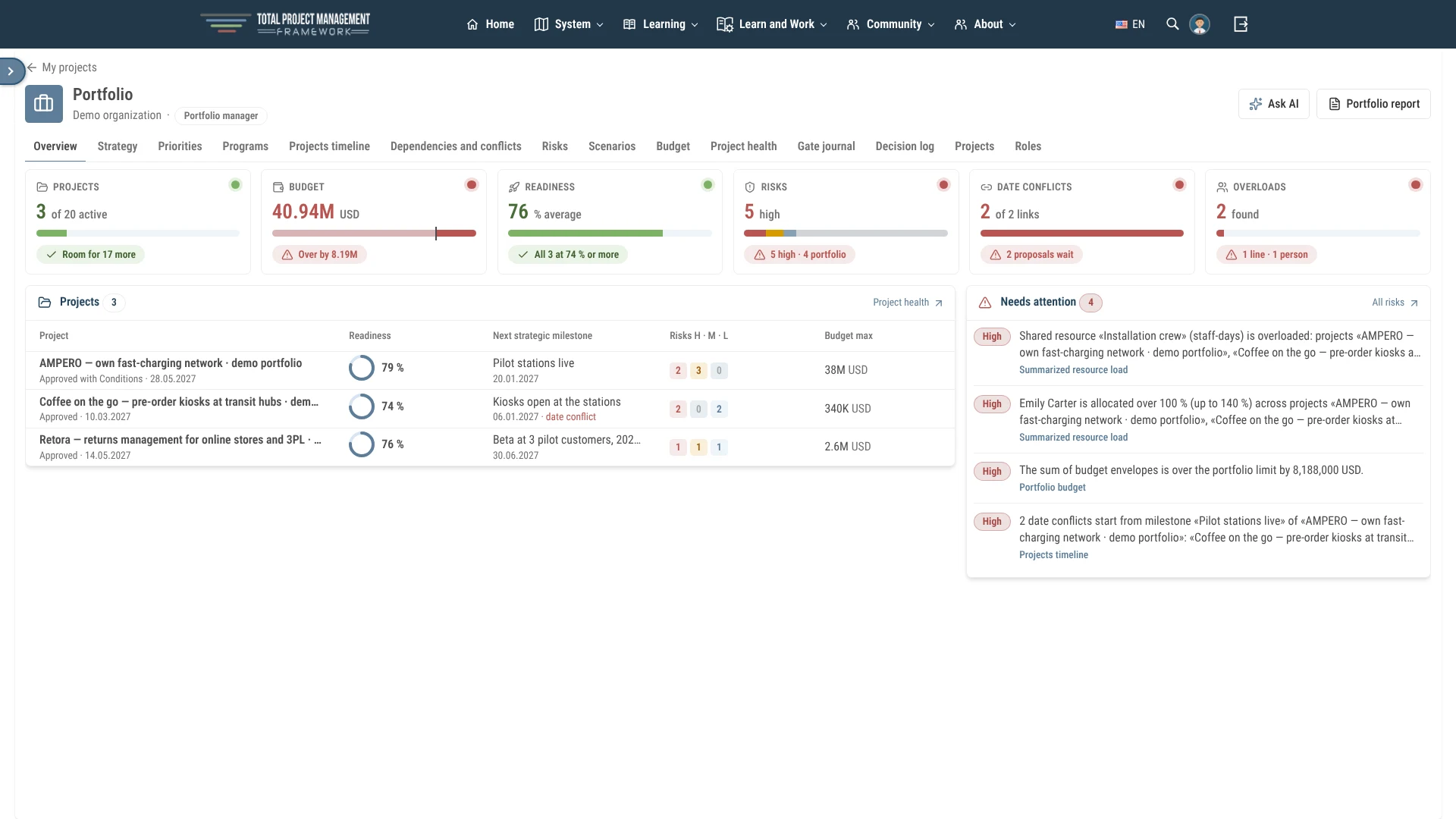
All your organization’s projects in one view: people, priorities, dates and budgets. You decide what to do.

All capabilities ↓

Four questions your portfolio answers at a glance

People, priorities, health and strategy in one view.

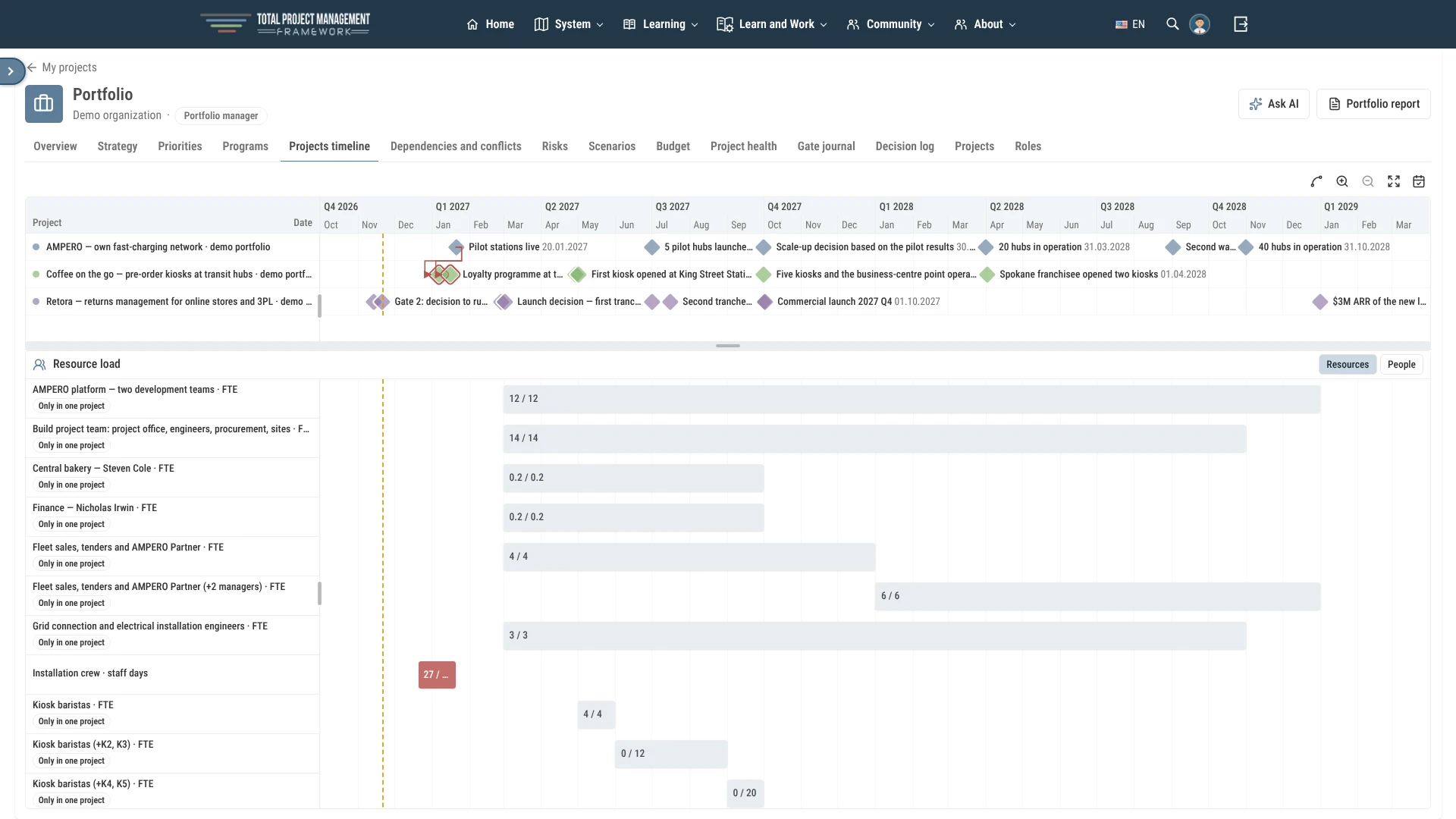
Who is overloaded, and when

See people’s workload across all projects, period by period.

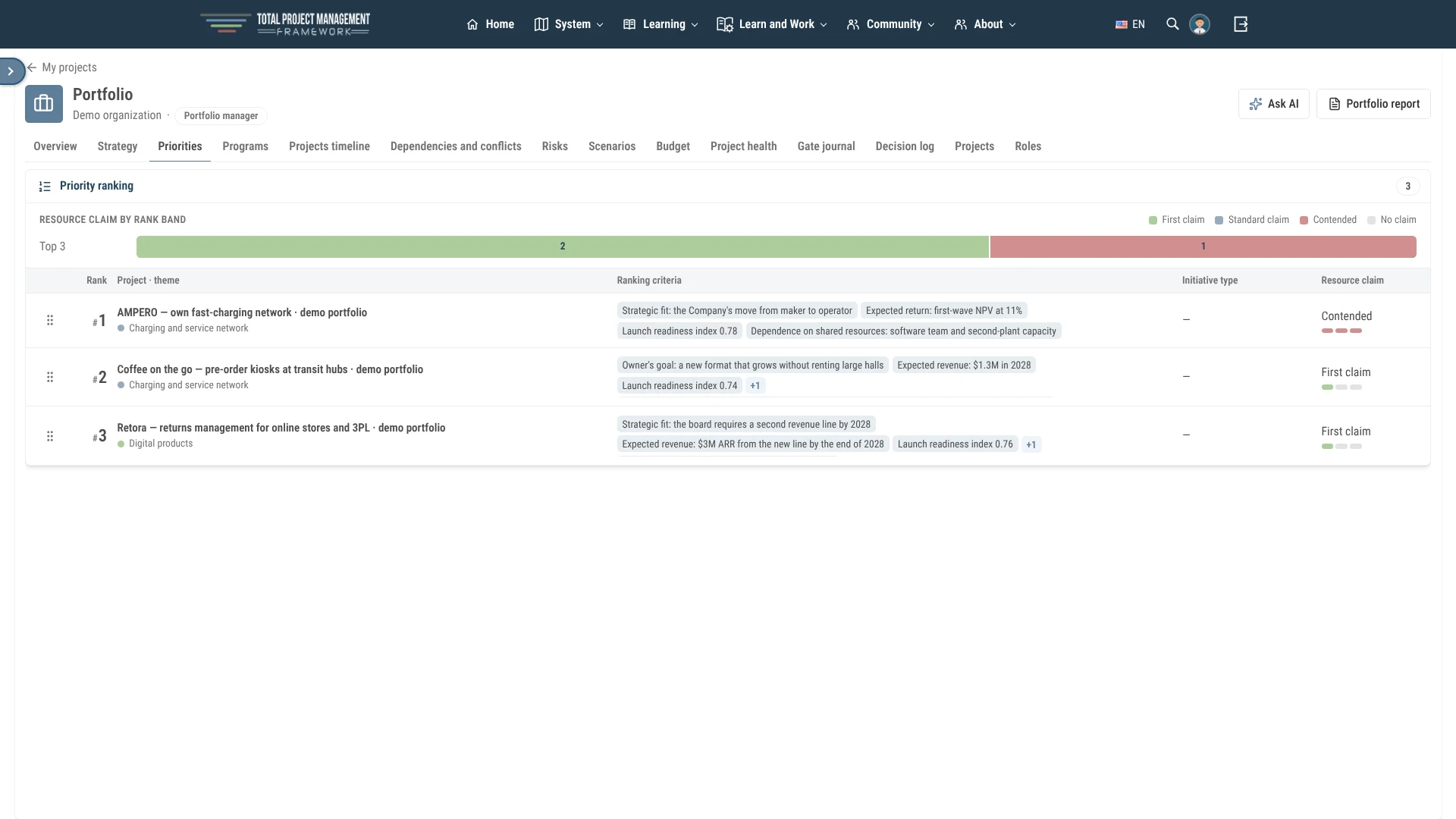
What matters most, and what fits

Set priorities and draw the cut-off against the people you actually have.

Portfolio health without manual reporting

One dashboard and a ready report.

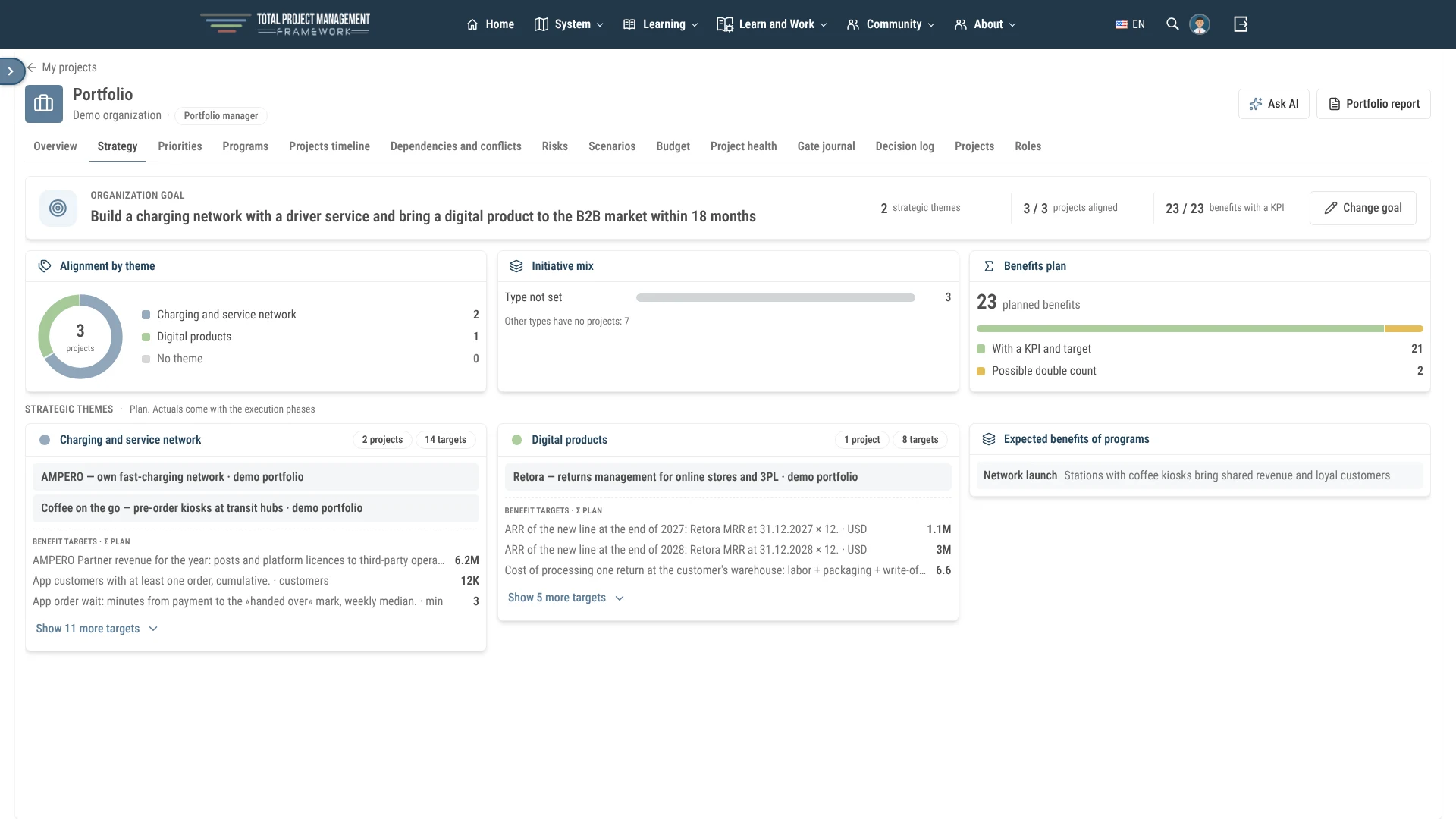
Strategy visible in every project

See which goal each project contributes to.

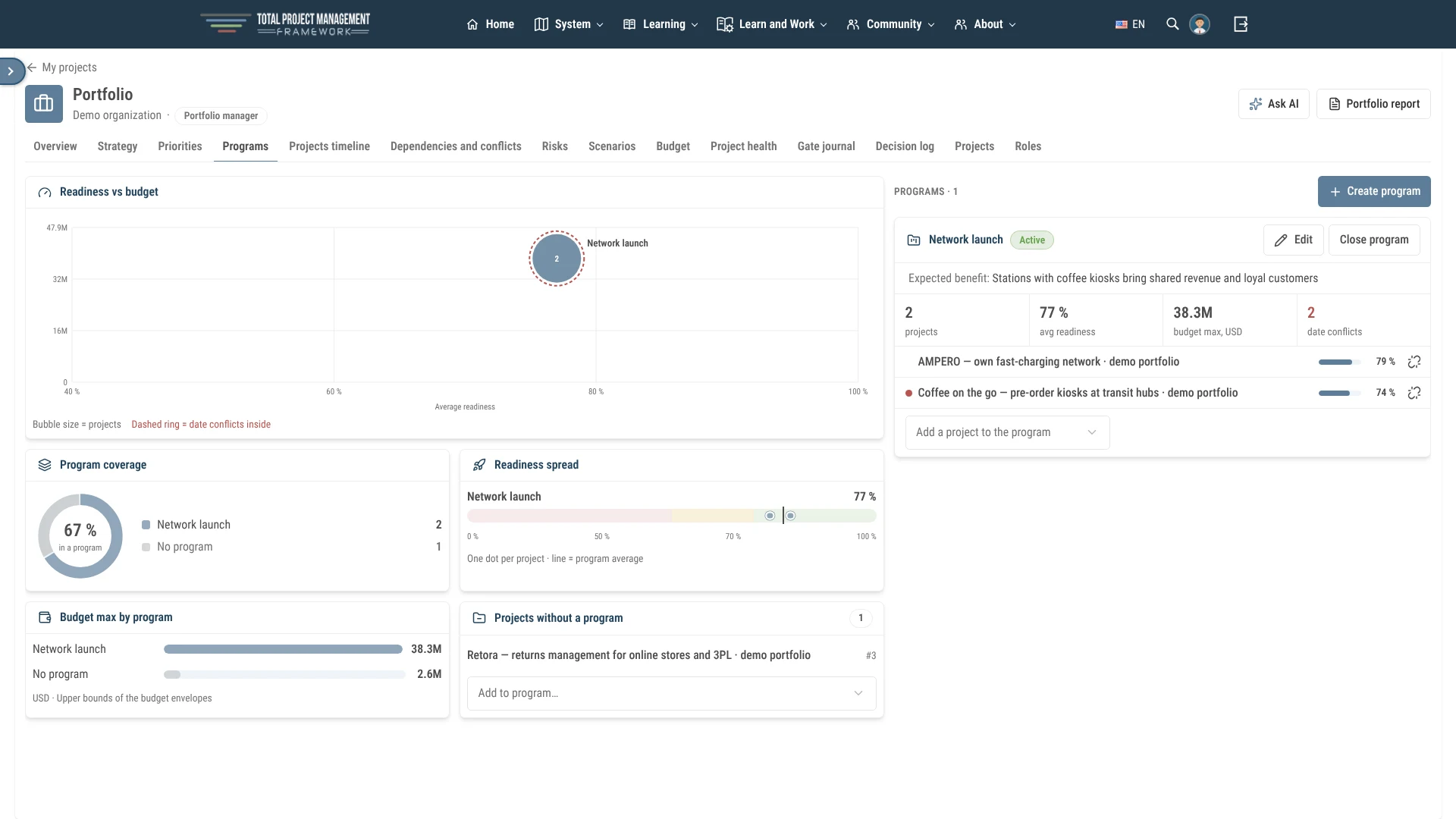
Connections and programs

A program is a group of projects with a shared goal and shared benefits.

Program

  • Program membership and owner
  • Shared goal and benefits
  • Program roadmap
  • Program board and its decisions

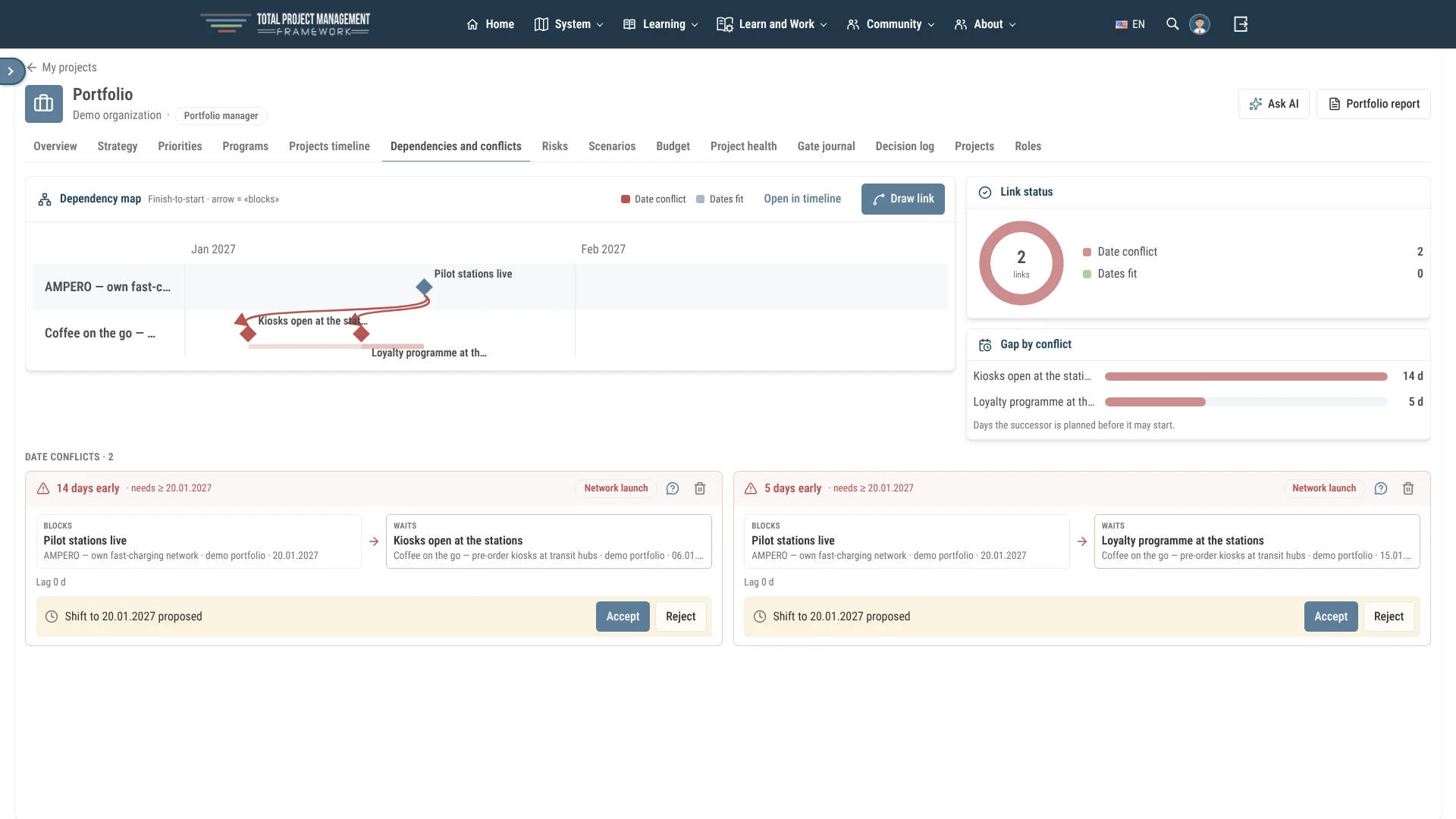
Connections between projects

  • Explicit links between projects
  • Shared milestone timeline
  • Date conflicts visible before you talk to the owners
  • Propose a date shift to the owner of a related project

What if?

Test a decision before you make it. See what will change.

Pause

Pause a project

Shift

Move project dates

Remove

Remove a project from the portfolio

Budget limit

Change the budget limit

People

Change who is available

All capabilities

12 groups · 38 capabilities

1. Who is overloaded, and when?
  • People’s workload across all projects
    • By period
    • People overloaded across two or more projects
    • Available staff capacity compared with project requests
  • Moving people between projects
  • Returning people and budget to the portfolio when a project closes
2. What takes priority, and what can we deliver?
  • Priority table
    • Criteria
    • Rank
    • Owner
    • Cutoff showing what the current team can deliver
  • Project economics on a common basis
    • Investment
    • Payback
    • Return
  • Benefit–risk matrix
3. How healthy is the portfolio?
  • Portfolio health dashboard
    • Phase
    • Status
    • Gate
    • Readiness
  • Status summary across projects
  • Portfolio reports
    • Web page
    • PDF
    • Word
4. How does each project contribute to strategy?
  • Map from strategy to organizational goals, themes and proposals
  • Shared register of market assumptions
  • Project overlap
    • Markets
    • Customers
    • Competitors
5. How are projects and programs connected?
  • Cross-project dependencies
    • Explicit links
    • Shared milestone timeline
    • Date conflicts visible before discussions with project owners
  • Proposing a date change to the owner of a related project
  • Programs built from projects
    • Membership and owner
    • Shared goal and benefits
    • Roadmap
    • Program board and its decisions
6. What is happening with dates, budgets and risks?
  • Portfolio budget
    • By currency
    • Spending limit
    • By period
  • Portfolio baseline and forecast against it
  • Consolidated risk register
    • Separate views of portfolio and project risks
7. What if we change a decision?
  • What-if scenarios
    • Pause
    • Reschedule
    • Remove a project
    • Budget limit
    • People
    • Difference from the baseline
  • Portfolio review
    • Accelerate
    • Pause
    • Stop
8. How quickly can we get started?
  • Data flows in from project steps
    • Enter data once
    • Edit records manually
  • Connections to other systems
    • Jira
    • Microsoft Planner
    • Atlassian Goals
  • Personal demo portfolio
    • Three sample projects
    • Edit and reset the portfolio
  • Three languages and multiple currencies
9. Are we realizing the expected benefits?
  • Portfolio benefits plan
  • Tracking expected and actual benefits
  • Benefits realization after project closure
  • Double counting of benefits
    • A metric claimed by two projects is visible immediately
10. Which decisions were made, and why?
  • Gate and approval log
  • Decision log with rationale
  • Launch decisions informed by the whole portfolio
  • Escalation to the portfolio board
  • Roles and access
    • Board
    • Portfolio manager
    • Owners
    • Unlimited viewers
    • Each person sees the projects they can access
11. How do we compare incoming project proposals?
  • A single intake queue
  • Proposal comparison
    • Contribution to goals
    • People required
    • Expected benefit
  • Funding released in stages
12. What can we learn from earlier projects?
  • Lessons in a shared library
  • Portfolio memory
    • Past decisions and their rationale

You decide. It does the work.

Tell the AI Portfolio Administrator what to change, by voice or text. It finds all the connections and shows the consequences.

AI Portfolio Administrator →

Project work and portfolio decisions are connected

TPM Framework structures the work within each project. Portfolio & Programs brings project milestones, constraints and decisions into one view.

Explore the TPM Framework →

Project level → Project Lifecycle Map

Who it is for, and how to connect

For organizations. Available on request. The demo portfolio is open on every plan, including Free.